
The Amica CloudPathLab was designed as a rules based cloud application.
You can easily configure the application to meet your desired workflow.
Collaboration between clients, clinicians and collaborating labs is built-in and easy to use.
The design of our Specimen Manager includes barcode enabled chain of custody tracking and easy
storage and retrieval using barcodes. The PathLab provides full support for the generation
of "child" specimens from original specimen.
The Case Manager is able to easily assign procedures to one, or more, collaborators in
same or partner remote lab. PathLab tracks each specimen (and any aliquots) through all procedures.

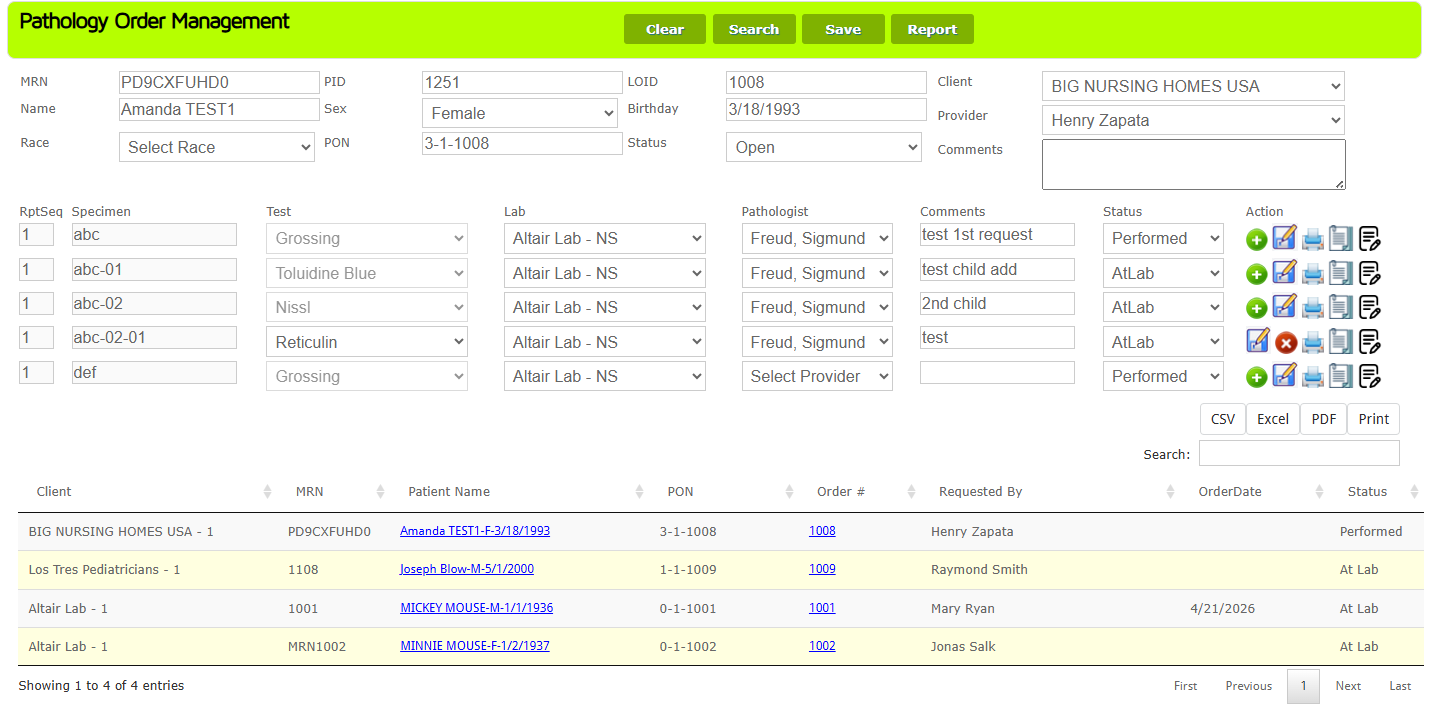
The Amica CloudPathLab Pathology Order Management acts as a control center providing total access
to all current or past orders.
For current cases the form provides for easy view of current status as well as the ability to easily
schedule additional procedures based on current status. Requested procedures can be assigned/tracked by both
designated clinician and performing lab.
For each requested procedure the clinician can easily attach notes and/or images
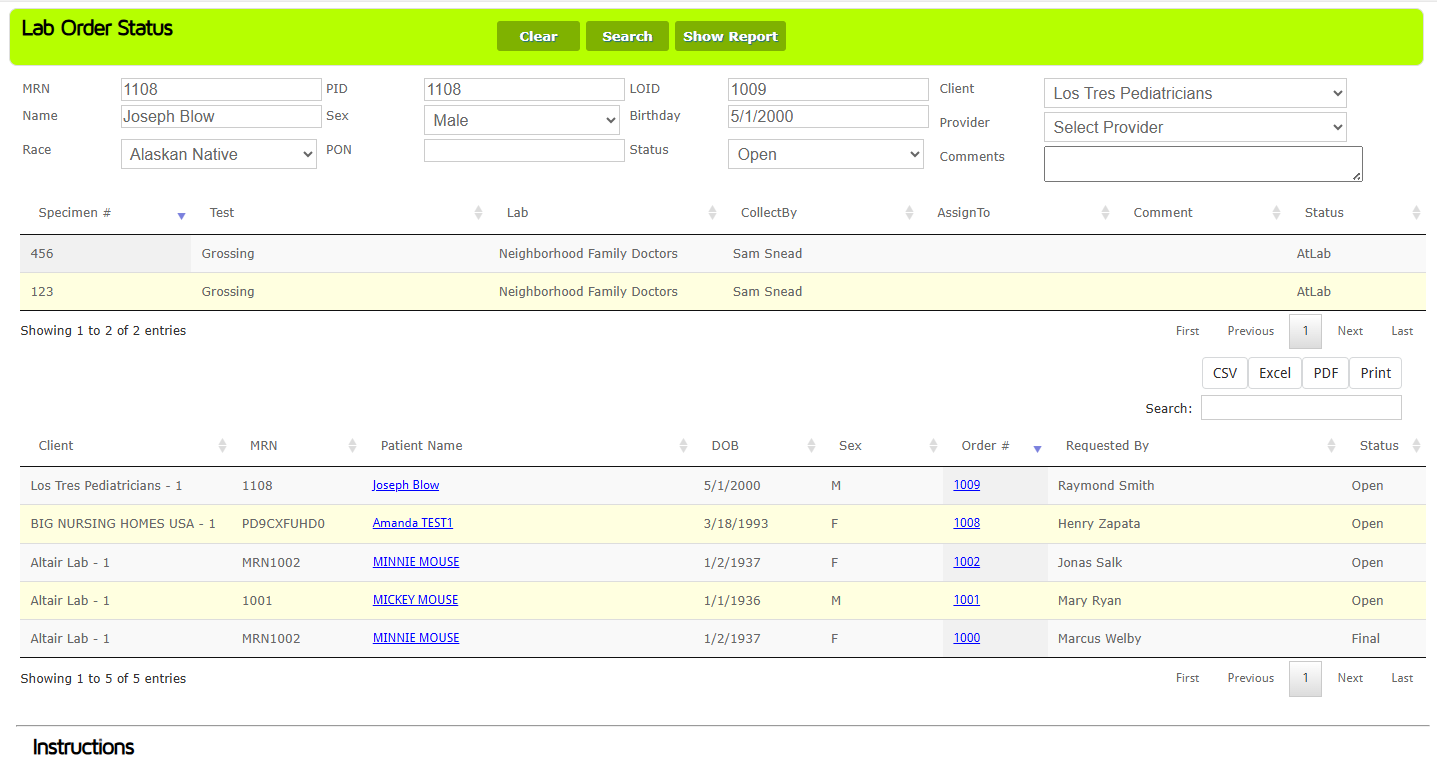
The Amica CloudPathLab provides a rich set of forms for tracking current or past orders.
The Lab Order Status form to the left is one example of the many workflow management tools.
The user is able to search by using any combination of the fields at the top of the form.
Orders that match the search criteria are displayed in the grid in the lower half of the form.
Clicking on a grid row will display summary information at the top of the form. Clicking on
the Order # in the grid row will open a new tab displaying the original order.
The grid at the bottom of the form is a standard feature on most CloudPathLab forms.
The Search box lets the user further filter the results row by typing characters in the box.
The contents of the grid can be exported as: CSV, Excel, PDF or Print file. Clicking on the grid
column headers will toggle sort of all rows regardless of the number of pages in results list.