
The Amica CloudPathLab can accept orders from your client's EHR via either HL7 or API.
The most common method for order origination is our easy-to-use Order Entry form.
The CloudPathLab supports both Apple and Windows devices thru the local internet browser on the device.
After a secure login (including multi-factor authentication) from either mobile device or desktop computer
your client and/or staff can create a new order for pathology services.
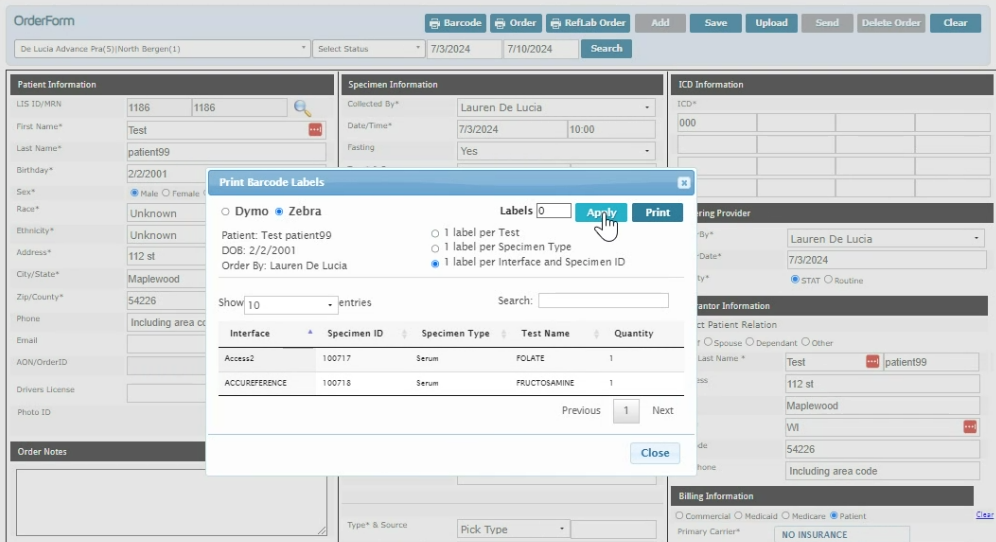
When a Dymo or Zebra printer is available the user may create and print barcode labels.
User is also able to print an Order Requisition form.

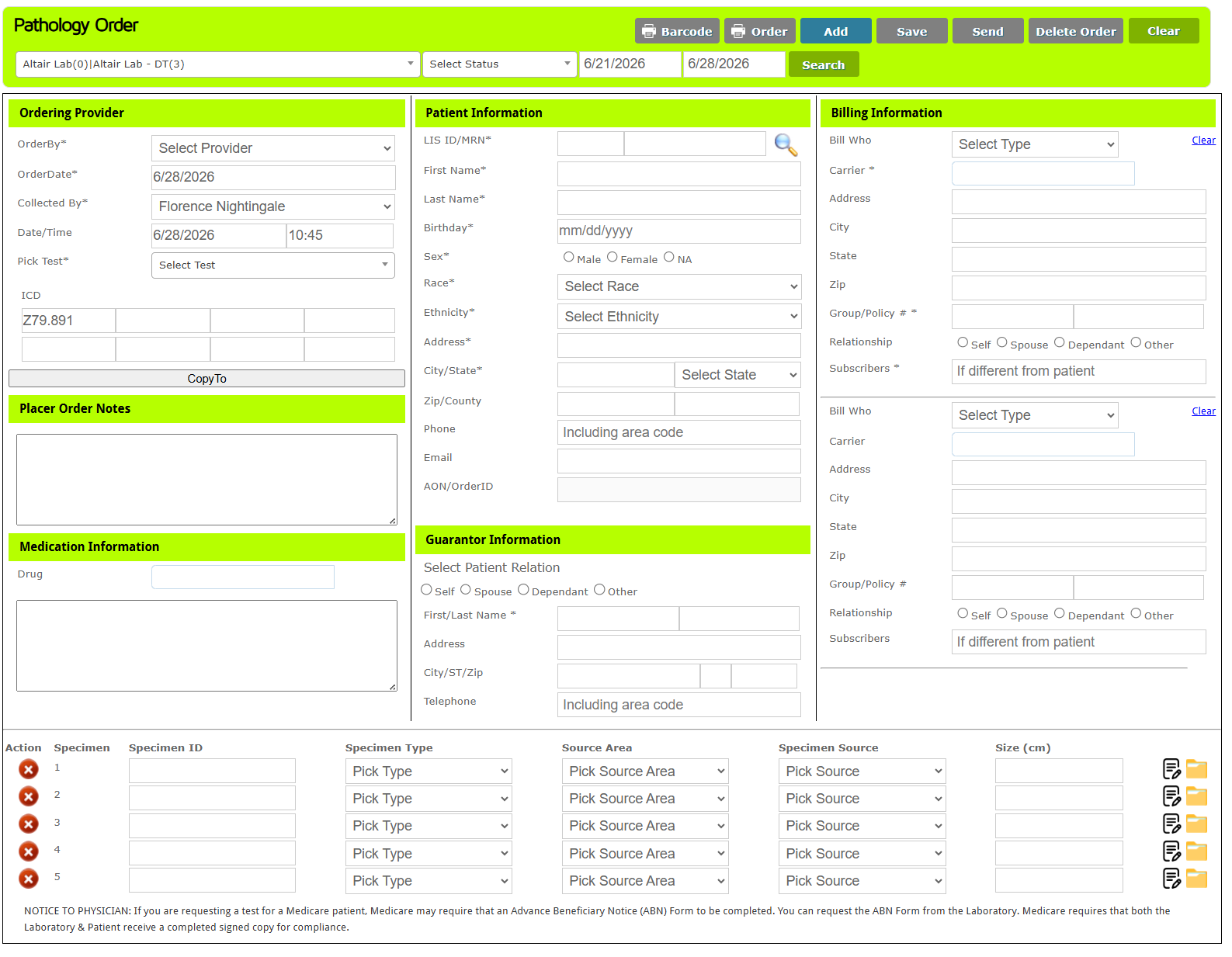
The Amica CloudPathLab order entry form can be configured to meet your workflow needs.
You can select from a library of over 200 items that can be requested at order entry.
Each requested item can be mandatory or optional and a dropdown list of valid choices can be defined.
The dropdown list at the top left of the form allows your staff or your clients to select from which
location the order is originating. Currrent and past orders can be easily and quickly located using
convenient search filters.
The Ordering Provider section is used to identify ordering provider, requested testing and related ICD codes.
Placer Order Notes allow ordering provider to communicate special requirements. Medication Information support the
entry of any patient medications by selecting frm dropdown list.
Patient Information section is used to provide patient information.
The Guarantor and Billing Information sections are used to provide billing information for the order.
The bottom of the form is used to identify order specimens. There is no limit to the number of
specimens that can be attached to an order. Once the 5th specimen is added a new specimen row will appear.
Notes and images can be attached to each specimen.
Clicking on the Barcode buttton at top will present the barcode printing dialog box.